Build with AI assistance
AI automatically references bundled SDK documentation alongside your project and chat attachments, with streaming responses and cancellation.
AI HMI App IDE
AI HMI Development IDE for KT-GW
From an idea to an app on your gateway.
Bring AI coding, change review, interactive previews and app installation into one desktop workspace. Build custom HMI interfaces for KT-GW with the bundled SDK.
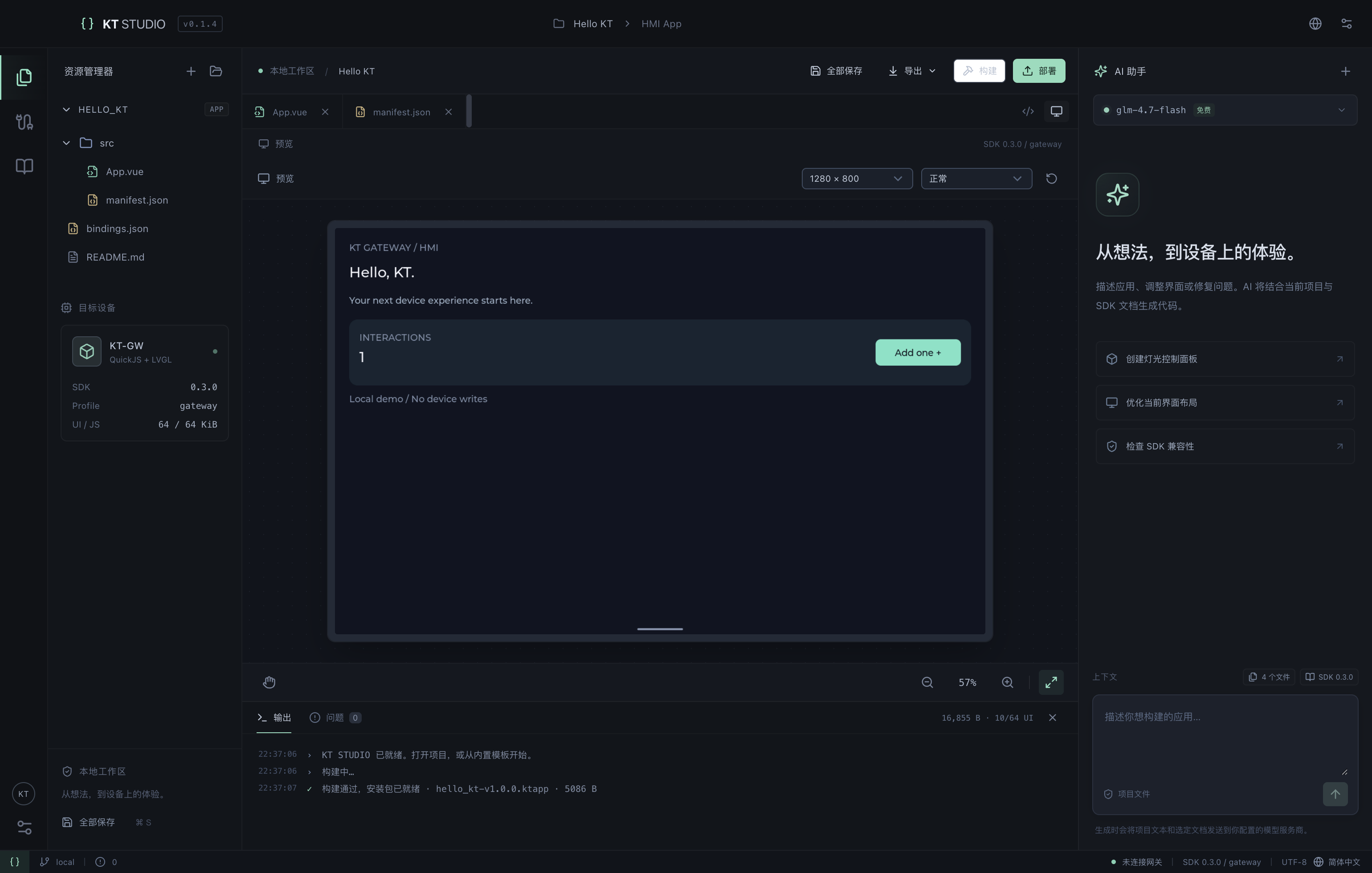
One Workspace
Start with a text project, use AI with SDK context, inspect the result and prepare an installable application.
AI automatically references bundled SDK documentation alongside your project and chat attachments, with streaming responses and cancellation.
Inspect changes file by file, apply them after review and undo in one step. Conflict checks protect manual edits made during generation.
Keep editing and inspection together with a project tree, file tabs, syntax highlighting, SDK method completion, search and static diagnostics.
Render the HMI through QuickJS WASM and LVGL 9.4. Click, zoom and pan, then explore normal, empty, offline, permission-denied and timeout simulations.
SDK 0.3.0 docs, the official compiler, packager and Python runtime are bundled. Build offline and export .ktapp packages or project ZIPs without system Python, Xcode or ESP-IDF.
Log in to KT-GW over local-network HTTP(S), read devices and point templates, upload packages in chunks and query installed apps. Reopen the app to verify the update.
Development Flow
Open a project and describe the interface and interactions. SDK docs are referenced automatically; you can also attach files.
Inspect file differences, apply changes and refine the code.
Build the app and check its interface and interactions in simulated scenarios.
Install on a compatible gateway, validate on hardware and export the package and project.
Your Model, Your Workflow
Presets include GLM, Kimi, DeepSeek, Qwen and OpenRouter, with local Ollama and custom OpenAI-compatible endpoints. Use your own API key; availability, quotas and pricing follow the provider’s policy.
Credentials stay out of exported app packages and project ZIPs. Review generated changes before applying them.
Built for KT-GW
Discuss your gateway, device points and interaction needs with us to plan an HMI application for monitoring, lighting control or on-site operation.